Judy’s first adventure: ideation and design of my first game
How I created Judy Adventures, an educational game built in Swift Playgrounds — from the initial idea and prototypes to illustration and animation.

Games are fascinating. People of every age and culture can become immersed in them, and that may be why so many developers dream of creating their own.
I was no different. I had always enjoyed playing on computers and consoles, but since deciding to become a programmer, I had not yet found an opportunity to build a game. When that opportunity arrived, I made the challenge even bigger: besides working in a language I was still learning, I would create the visual elements myself.
This article tells the ideation and design story behind my first game, Judy Adventures.
What is Judy Adventures?
Judy Adventures began as a Swift Playground designed to teach physics concepts to elementary school children in a more natural and enjoyable way.
The protagonist is Judy, a space traveler who encounters different challenges along the journey. To move forward, the player guides Judy toward aliens who share their knowledge. Judy records concepts and formulas in a travel notebook, and these notes help the player solve physics questions set within the game’s universe.
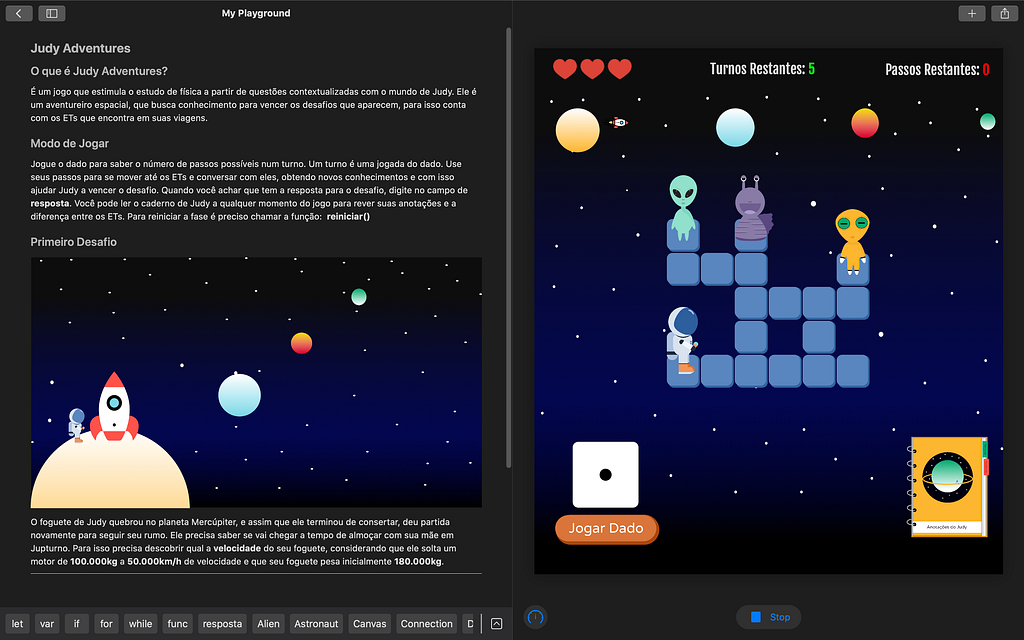
Watch the Judy Adventures demo on YouTube.
First step: ideation
The game may look simple, but it gave me many nights of dreaming about Judy walking strangely and code filled with bugs.
I used Challenge Based Learning, or CBL, to reach the final concept. My first idea was to work with remote education, inspired by the context of Covid-19. The topic offered many possibilities, but there were already several similar solutions, and I gradually lost my enthusiasm for that direction.
I did not give up on education. I continued exploring until I arrived at methods of assessment. I noticed how often teaching relies on the same ways of evaluating students, not always with the desired engagement. I decided to imagine a more enjoyable alternative — and that was when the idea of making a game emerged.
Following the CBL process, I reached an initial concept: a board game in which players would overcome challenges based on lesson content through different forms of assessment. This definition would still change considerably, but it gave me enough direction to begin prototyping.
Next stage: design
Low-fidelity prototypes
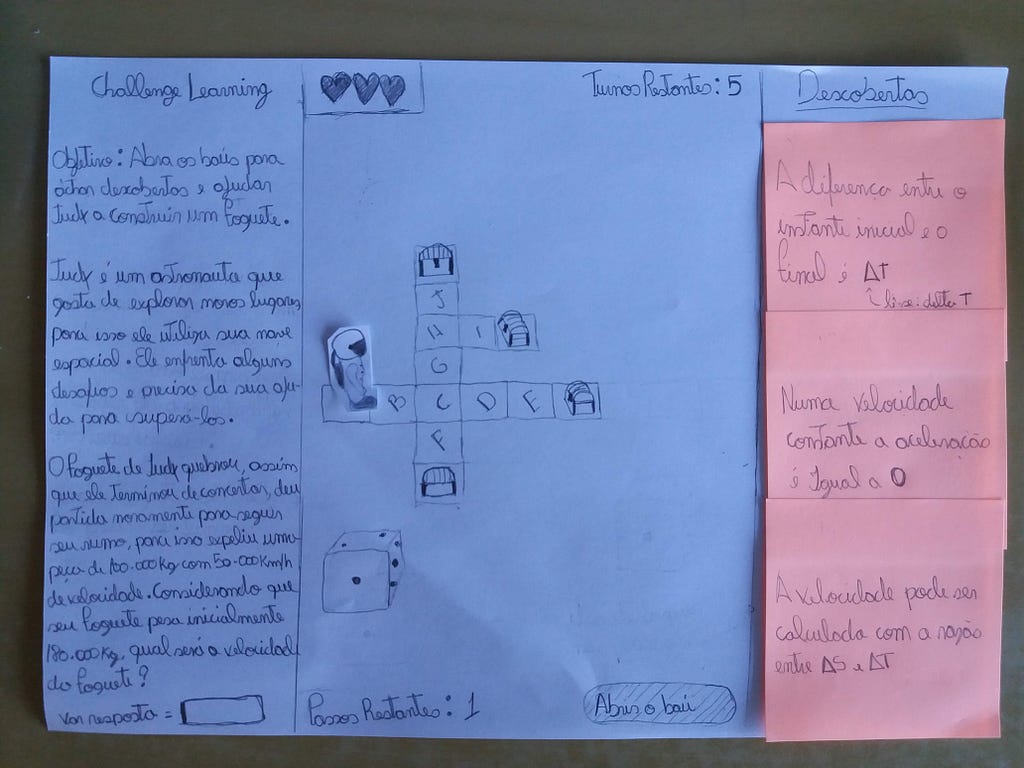
With an initial direction in place, I began making paper prototypes. Prototypes are an essential part of product development because they allow an idea to be materialized and tested before the first line of code. This saves time and exposes interaction problems much earlier.
I still had little design experience, but I tried to create versions that were simple enough to put the idea in front of other people.
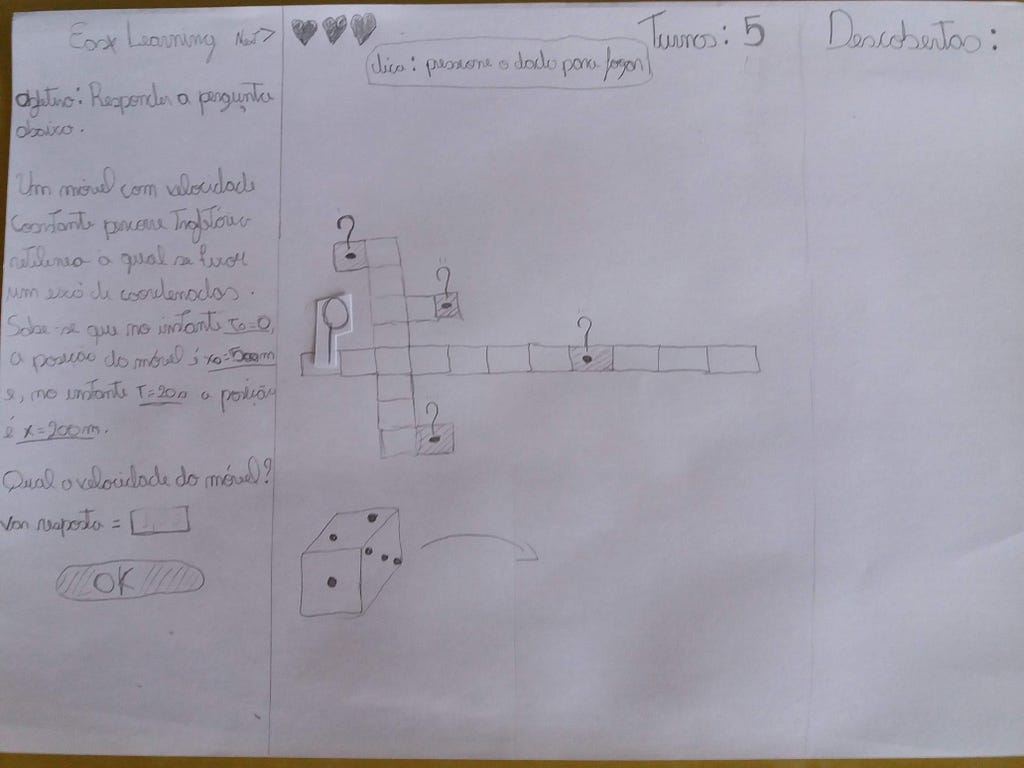
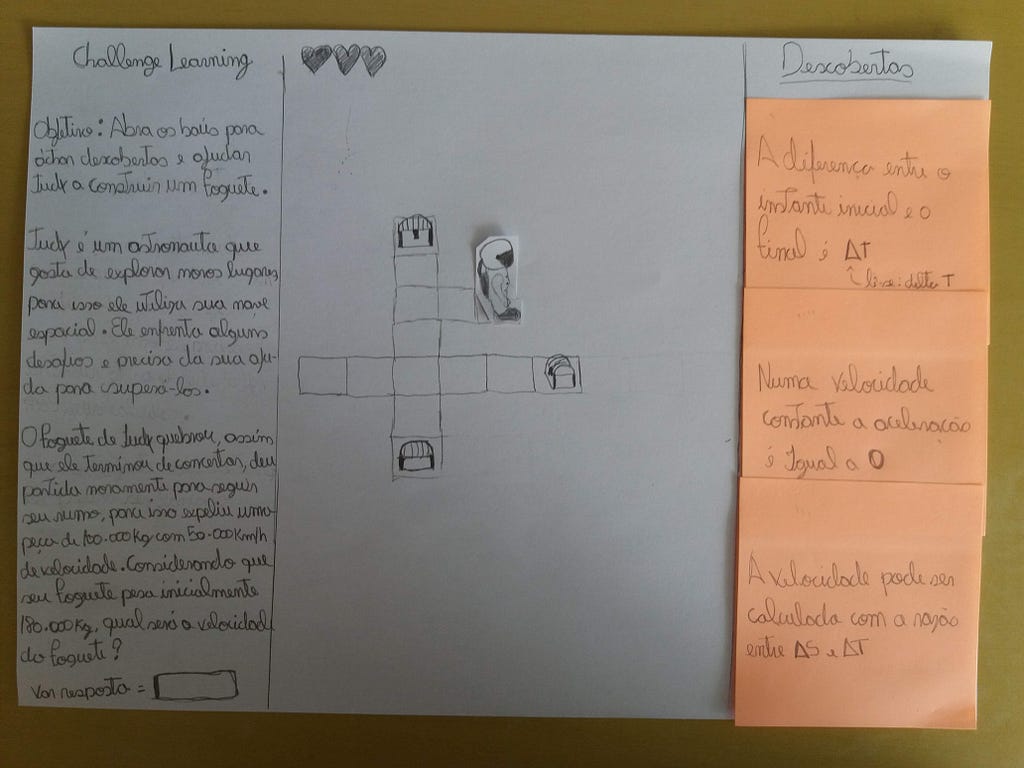
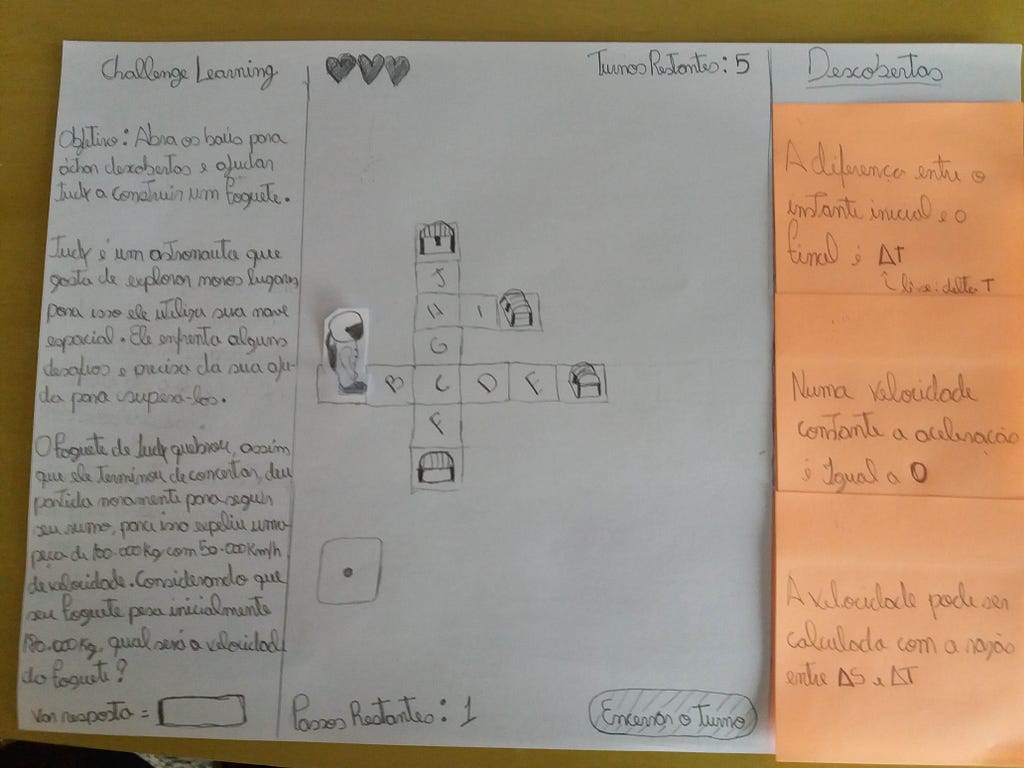
I tested each version with colleagues. Based on what I observed and the feedback I received, I changed the most important parts. This process helped me understand what worked, what caused confusion, and how the experience could be improved before implementation.
High-fidelity prototypes
After finishing the paper prototype, I began creating a representation closer to the final app.
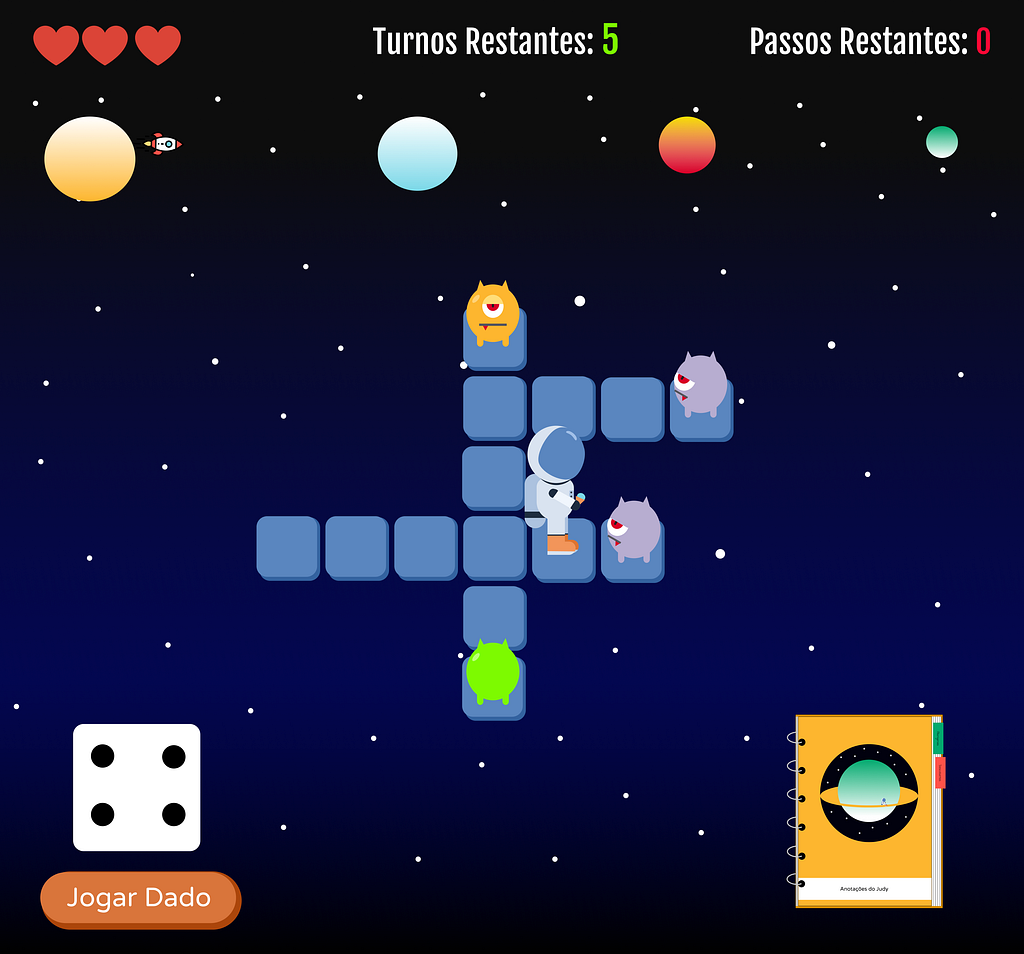
The first version already had structure and color, but it still used elements found online, including the rocket, astronaut, and hearts. From the beginning, my goal was to gradually replace them with my own illustrations.
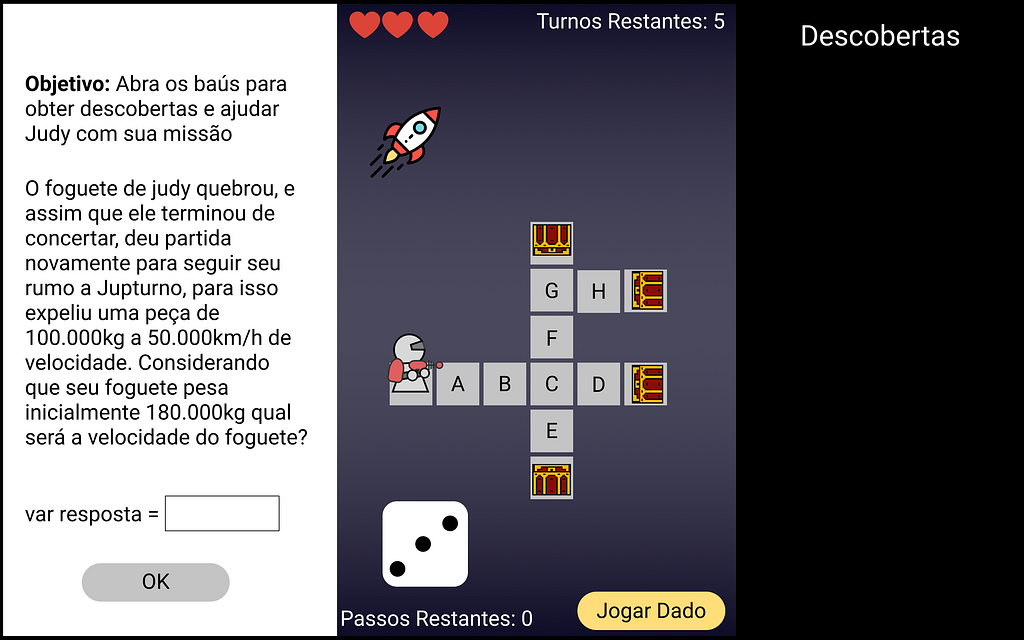
In the second version, I added color and a background that better matched the game world. It also introduced my first illustration of Judy, still heavily inspired by the previous reference.
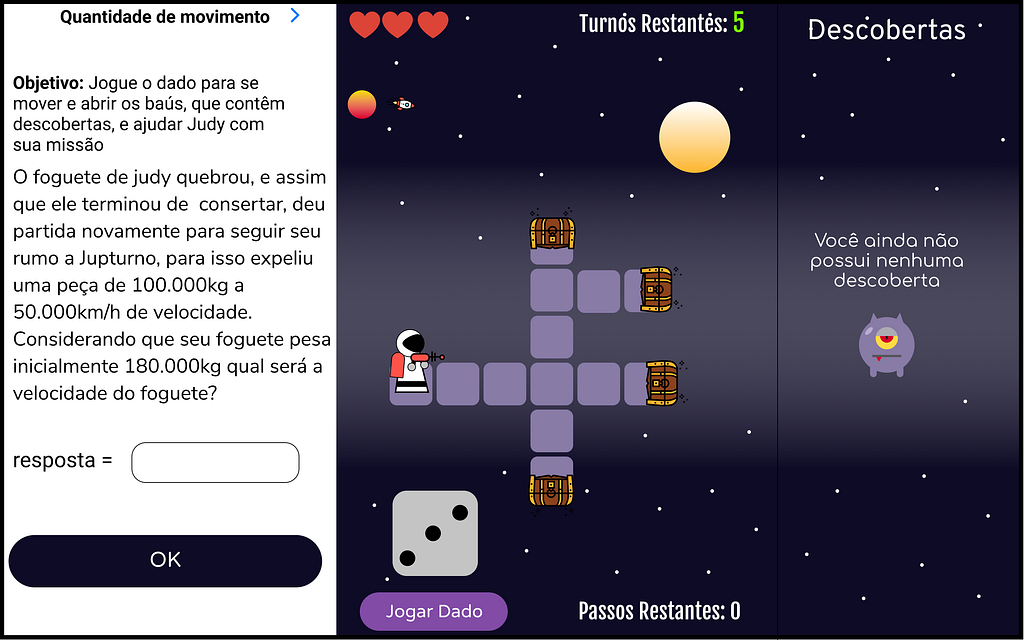
The third version was already close to what I had imagined. It included several visual elements I had created and removed the challenge text from the prototype because that content would be presented by a Swift Playgrounds component. I also changed the discoveries, previously displayed along the side, into a list of items.
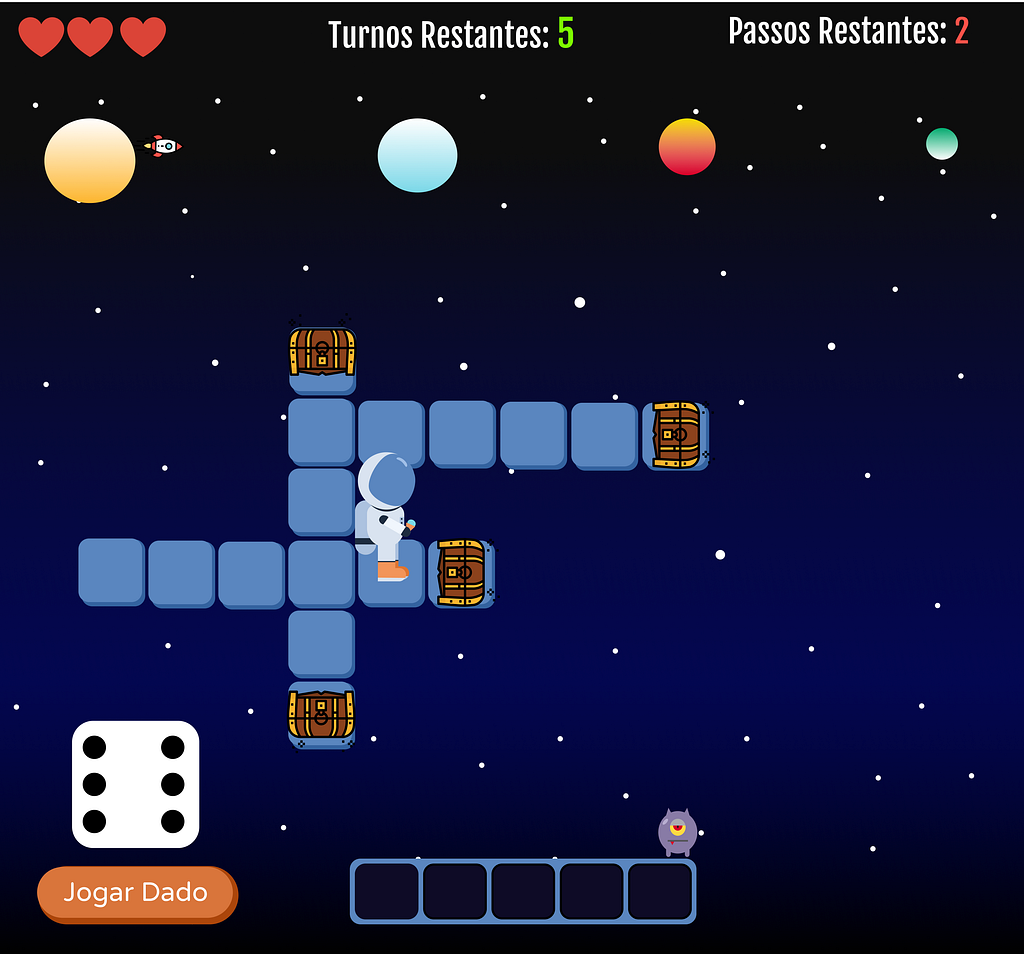
In the fourth and final version, I added Judy’s travel notebook. From the beginning, I had not known exactly how to present discoveries made during the game. The notebook made this part more coherent with the story and was inspired by former astronaut Chris Hadfield’s notebook, shown in this video. The aliens in this version came from Flaticon.
Creating the illustrations
The most exciting — and frustrating — part was drawing the characters and visual elements. Every new version was rewarding, but I also struggled because I had no previous illustration experience.
I used basic shapes in Figma, including squares, circles, and triangles, and adjusted them until I reached results that felt right for the game world.
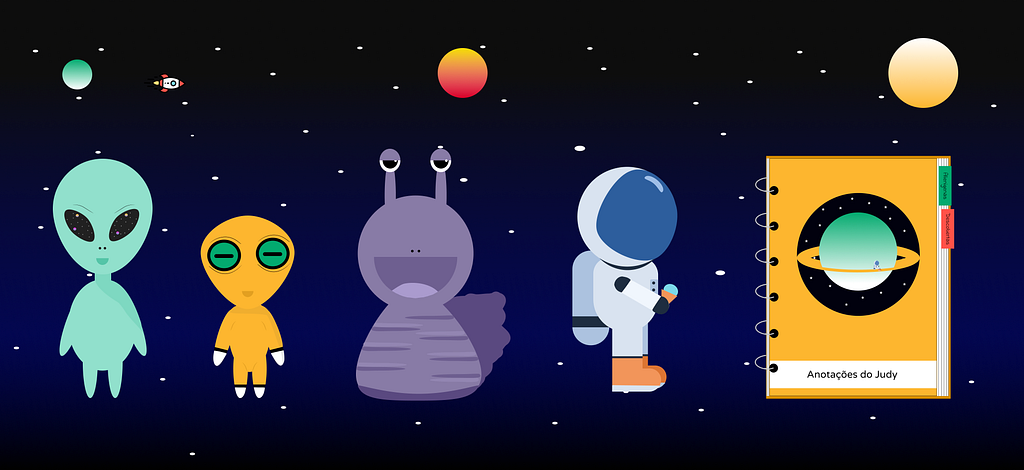
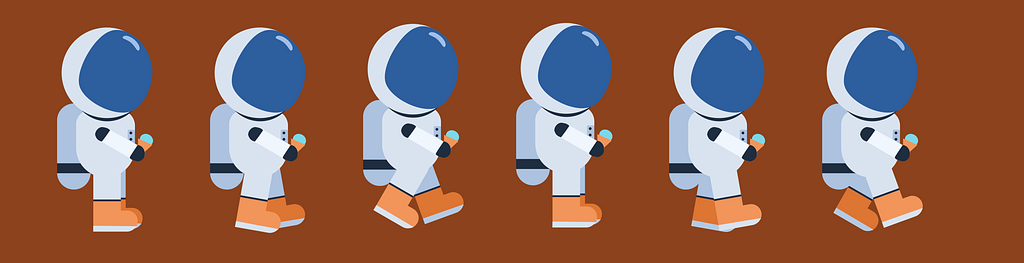
After drawing Judy, I realized the character could not simply float across the scene. To move around the map, Judy would also need animation.
Animating the character
To create a sense of walking within the time available, I decided to animate only the character’s legs. I produced five different states and repeated the process for every direction Judy could face.
It took considerable effort, but the result brought much more life to the game.
What I learned
By the end of the process, I had achieved my goal of creating a game and drawing its components. The result was better than I had expected, and despite the frustrations, the challenge was both interesting and enjoyable. Colleagues and mentors also played an important role by sharing feedback throughout development.
Two lessons were especially valuable.
Define the idea clearly
Games are complex programs in terms of interaction. Spending time on prototypes helps reveal what the player is thinking and how they respond to interface elements. This exploration is fundamental to building a coherent experience.
Look for references
References are indispensable for someone beginning to illustrate. Looking at related work helps you understand existing solutions, combine elements, and gradually develop a style of your own.
The game’s code is available on GitHub. The project continued to evolve after this first version; I described part of that evolution in Judy’s second adventure.
This article was originally published on Medium on April 28, 2020, and adapted for this site on August 29, 2026.